Free Online PDF Editor
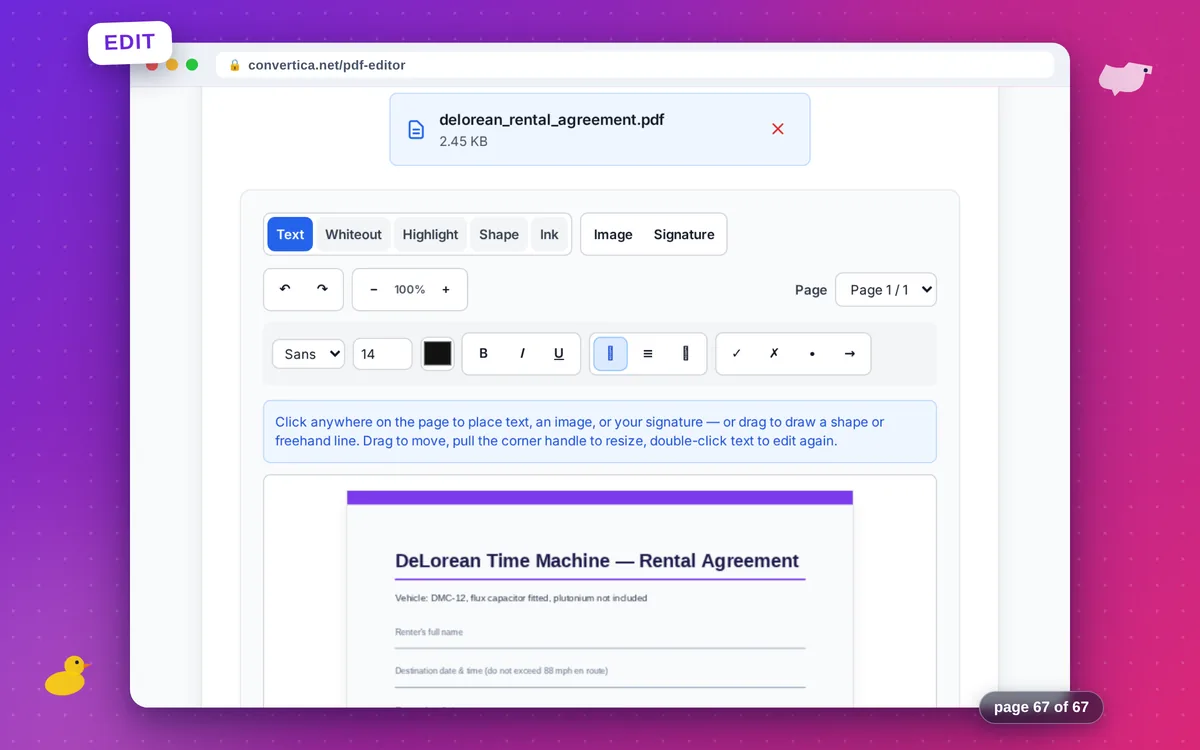
Add text, images, shapes, freehand drawing, and your signature — click, edit, download
Free — no sign-up needed
Add text, images, your signature, shapes, and freehand drawing. Whiteout and highlight are included too. A daily free limit applies. Unlimited use is available with Premium.
Create your signature
Draw your signature with the mouse or finger. Touch-friendly on tablets and phones.
How it works
- Select your PDF file or drag and drop it
- Click anywhere on the page and type your text, or drop in an image or your signature
- Draw rectangles, ellipses, lines, and arrows, or sketch freehand with the Ink tool
- Use Whiteout to cover mistakes and Highlight to mark important parts
- Add checkmarks and symbols to fill out forms without form fields
- Download the edited PDF — your text stays real, selectable text
Tip: Your work is kept in this browser tab, so an accidental reload will not lose your edits. Ctrl+Z undoes, arrow keys nudge the selected object.
Edit a PDF online — text, images, shapes, and a signature in one place
This online PDF editor puts everything you need for a quick edit in one page: click to type text, drop in an image, draw a shape or freehand line, and sign — all directly on top of your PDF, then download the result. Typed text is written into the PDF as real, selectable text with the font embedded, not flattened into a picture.
Whiteout and highlight are included for covering mistakes and marking important lines, plus checkmark, cross, bullet, and arrow symbols for quick form fill-ins. Files are deleted automatically right after download; whiteout is a visual cover-up, not redaction, so the original content remains in the file underneath.
Why Choose Our Tool?
Real, Selectable Text
Typed text is embedded as genuine PDF text with the font included — it stays selectable and copyable, not a picture of text
Images, Shapes & Freehand Drawing
Drop in images, draw rectangles, ellipses, lines, and arrows, or sketch freehand — all on top of your PDF pages
Sign Without Leaving the Editor
Draw, type, or upload a signature and place it right in the same editing session — no separate tool required
Any Language
Latin, Cyrillic, Arabic, and Devanagari text all render correctly with embedded Noto fonts — most online editors break on non-Latin scripts
No Artificial Limits
Edit as many pages and objects as you need in a single session — free, with no forced sign-up wall many competitors put up front
Tips for Editing PDFs Online
- Double-click any placed text box to edit it again; drag to move it, pull the corner handle to resize.
- Draw your signature once and reuse it across every page of a long document.
- Undo (Ctrl+Z) and redo (Ctrl+Y) work across every tool — text, shapes, ink, and whiteout included.
PDF Editor FAQ
Is this PDF editor really free?
Can I edit existing text that is already in the PDF?
Does whiteout really remove the covered content?
Will my added text stay selectable in the PDF?
What can I add to a PDF with this editor?