Crop PDF
Crop your PDF pages in seconds
Video Tutorial
How it works
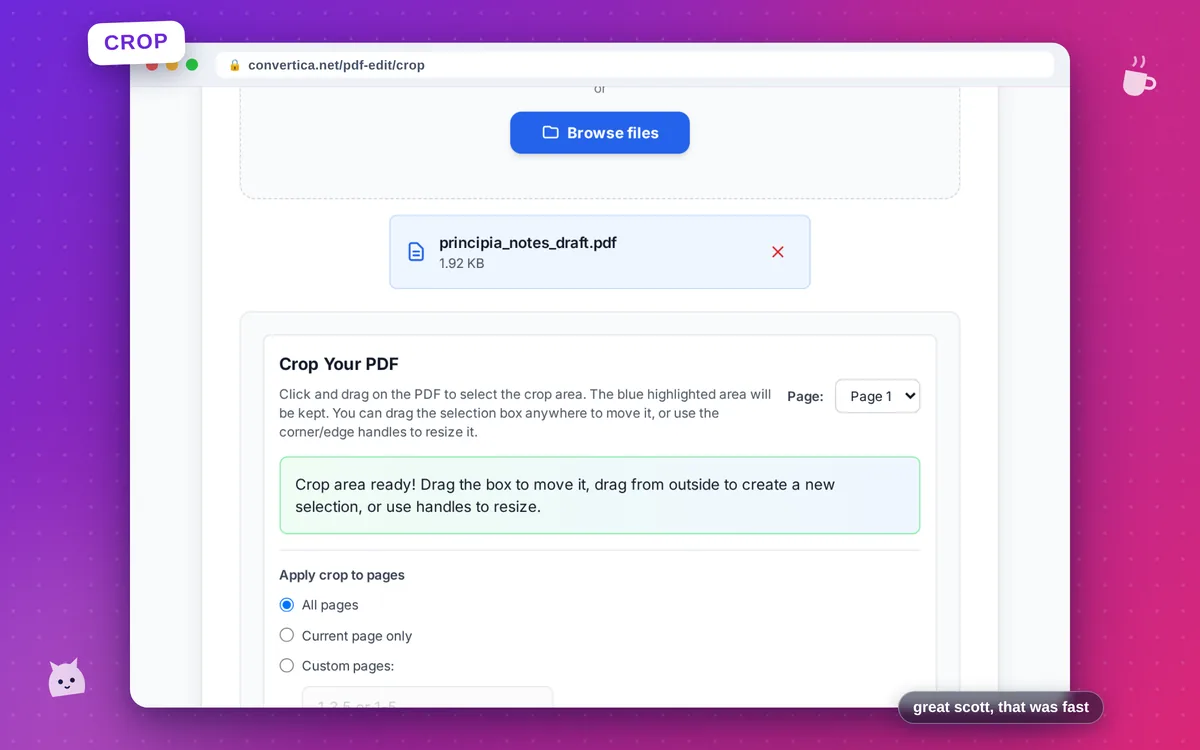
- Select your PDF file using the button above or drag and drop
- Click and drag to select the area you want to keep
- Resize the selection using corner or edge handles
- Choose pages to crop: all, current, or specific pages
- Click Crop PDF to process
- Download your cropped PDF file
Note: PDF files with up to 30 pages are supported. Crop applies to all selected pages.
Crop PDF Pages - Remove Margins Online
Our free PDF cropping tool lets you remove unwanted margins, borders, or content from your PDF pages. The visual editor makes it easy to select exactly what you want to keep.
Perfect for trimming scanned documents, removing white borders, or focusing on specific content areas in your PDFs.
Common uses: Remove scanner margins from scanned documents, trim white space from exported slides, crop to focus on specific charts or images, or prepare PDFs for printing with custom page sizes.
Why Choose Our Tool?
Visual Crop Editor
Select crop area visually by clicking and dragging on the PDF
Quality Preserved
Crop without any quality loss - content stays sharp
Apply to Multiple Pages
Crop all pages, current page, or specific pages at once
Instant Processing
Fast cropping with immediate download
Tips for Best Results
- Use the corner handles to precisely resize the crop area
- Drag the selection box to reposition it
- Apply crop to all pages for consistent margins
- Use 'Scale to page size' to fill the entire page with cropped content
- Preview the cropped result before downloading to ensure it's correct
Frequently Asked Questions
How do I crop a PDF page?
Can I crop multiple pages at once?
Will cropping reduce PDF quality?
How do I remove margins from a PDF?
Can I undo a crop after saving?