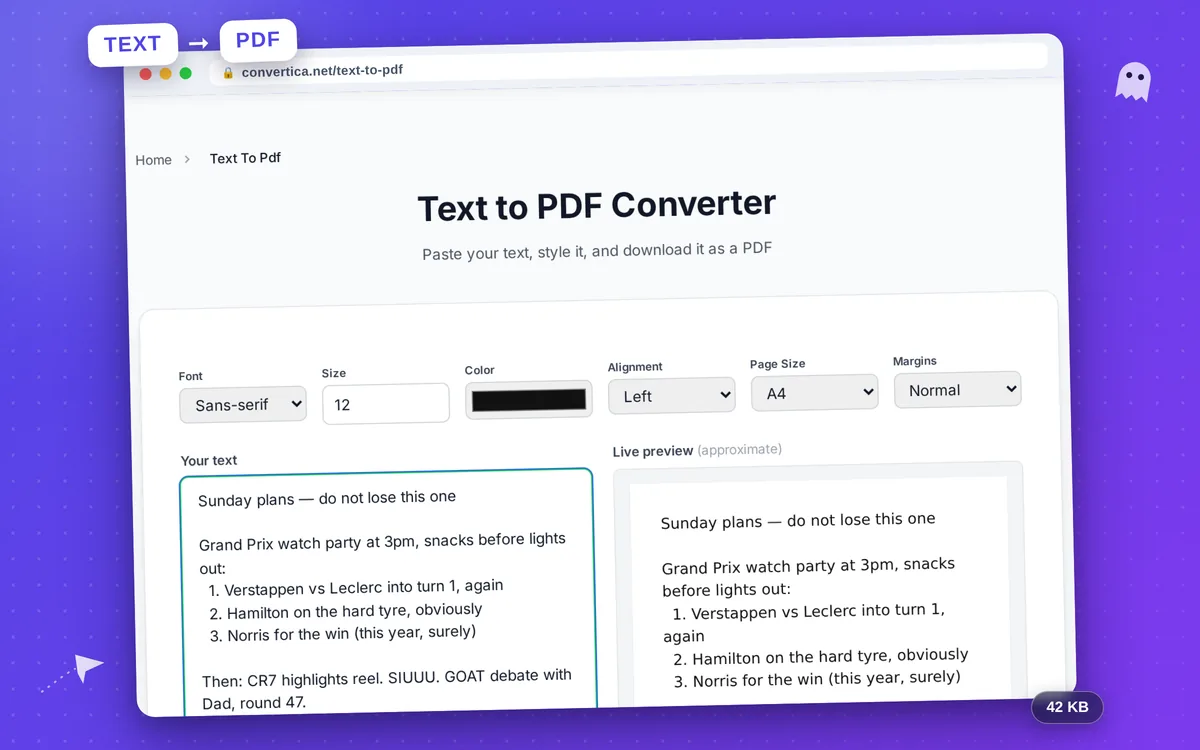
Text to PDF Converter
Paste your text, style it, and download it as a PDF
Please wait while we create your PDF...
Your PDF is ready!
Your text has been converted to PDF successfully.
How it works
- Paste or type your text
- Choose font, size, color and page options
- Click Create PDF
- Download your PDF file
Turn Plain Text into a Clean PDF
Sometimes you just have some text and you need it as a PDF: a letter, a set of notes, a quick handout, or a snippet you want to share in a portable format. Instead of opening a word processor, you can paste the text here, choose a few style options, and download a tidy PDF in seconds.
You control the font family, text size, color, alignment, page size, and margins, so the result matches what you need, whether that is a printable document or a simple share. Line breaks and spacing from your original text are preserved exactly.
The converter renders every language correctly, from Latin and Cyrillic to Arabic, Hindi, and Chinese, and it detects right-to-left text so your documents always read the right way.
Why Choose Our Tool?
Paste and Convert
No file needed. Just paste or type your text, and turn it into a polished PDF in one click. Perfect for notes, letters, and drafts.
Style Your Document
Choose the font, text size, color, alignment, page size and margins so the PDF looks exactly the way you want.
Every Language Supported
Arabic, Hindi, Chinese, Cyrillic and Latin scripts all render correctly, including right-to-left text.
Instant Live Preview
See your styling applied on the page as you tweak it, then download the final PDF when it looks right.
Tips for Best Results
- Use a larger font size and wide margins for documents you plan to print.
- Choose the monospace font for code, tables, or aligned columns.
- Pick 'justify' alignment for a clean, book-like text block.
- Leave a blank line between paragraphs to keep them visually separated.
Frequently Asked Questions
How do I convert text to PDF?
Is it free to use?
Will my formatting be preserved?
Does it work with non-English text?
Is my text kept private?