Merge PDF
Combine multiple PDF files into one document
Video Tutorial
How it works
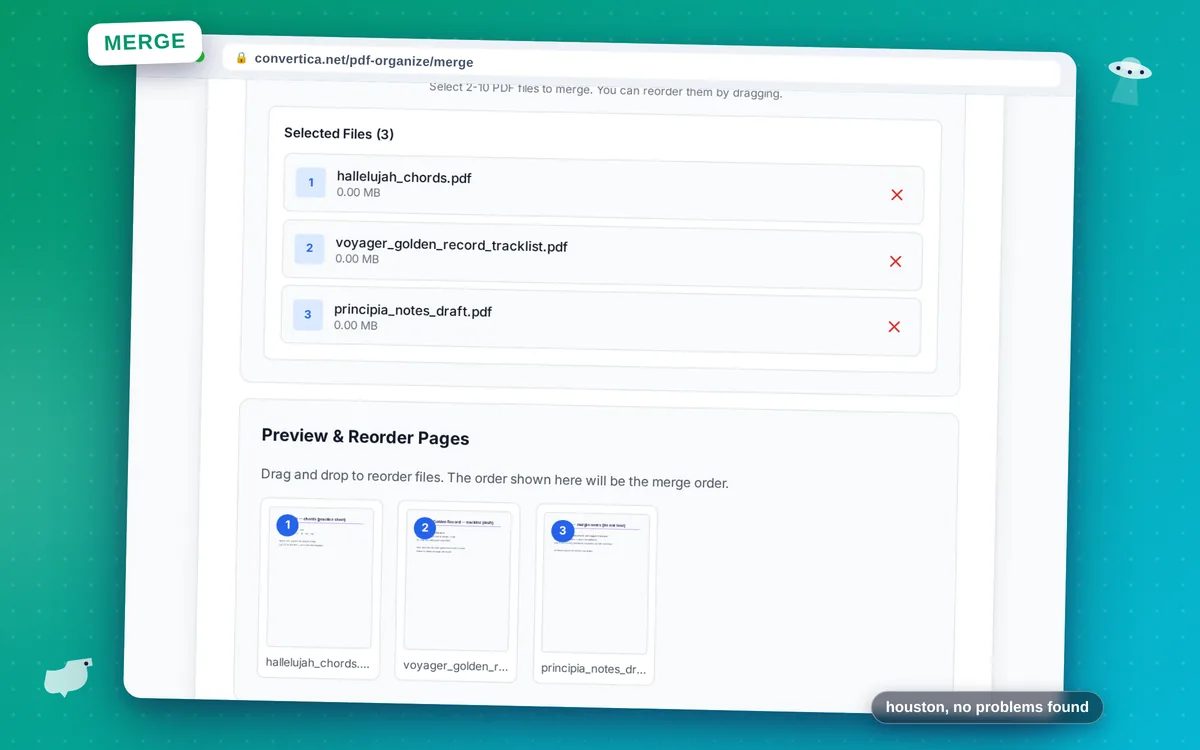
- Select 2-10 PDF files using the button above
- Drag and drop to reorder files in the desired merge order
- Click Merge to combine all PDF files into one document
- Download your merged PDF containing all pages
Note: You can merge 2-10 PDF files at once. Pages will be combined in the order shown.
Merge PDF Files Online - Easy & Free
Need to combine multiple PDF documents into a single file? Our free PDF merger lets you join 2-10 PDF files quickly and easily. Perfect for combining invoices, contracts, reports, or scanned documents.
Simply select your files, arrange them in the desired order using drag and drop, and click Merge. Your combined PDF will be ready for download in seconds. All bookmarks, hyperlinks, and formatting are preserved.
Use cases: Combine thesis chapters, merge scanned receipts, join contract pages, create document packages for clients, or organize lecture notes into a single file.
Why Merge PDFs with Convertica?
Drag & Drop Reorder
Easily arrange PDF files in any order by dragging and dropping
No Quality Loss
Original PDF quality preserved. No compression, no watermarks added
Secure Processing
Files are transferred over an encrypted connection and deleted automatically after processing
Merge Up to 10 Files
Combine 2-10 PDF files at once. Premium users can merge even more
Tips for Merging PDF Files
- Arrange files in the correct order before merging - use drag and drop to reorder
- For large projects, merge related chapters or sections separately first
- Check page orientation - rotate pages if needed before or after merging
- Remove unnecessary pages before merging to keep file size small
- After merging, you can use our Split tool to extract specific pages if needed
Merge PDF - Frequently Asked Questions
How many PDF files can I merge at once?
Will bookmarks and links be preserved?
Can I change the order of PDF files before merging?
Is there a file size limit for merging?
Can I merge scanned PDFs?