

Why turn a PDF into JPG at all?
The reasons are almost always practical rather than technical. A marketplace or social platform accepts images but rejects PDFs, so you need one page as a picture. You're building a slide deck and want a page dropped in as a graphic. A form or chat app only takes JPGs. Or you want to crop, annotate, or recolour a page in an image editor that can't open PDFs.
In every one of these cases you don't need the whole document as a file - you need specific pages rendered as images at a quality that matches where they're going. That framing makes the settings below obvious.
The resolution decision (this is the one that matters)
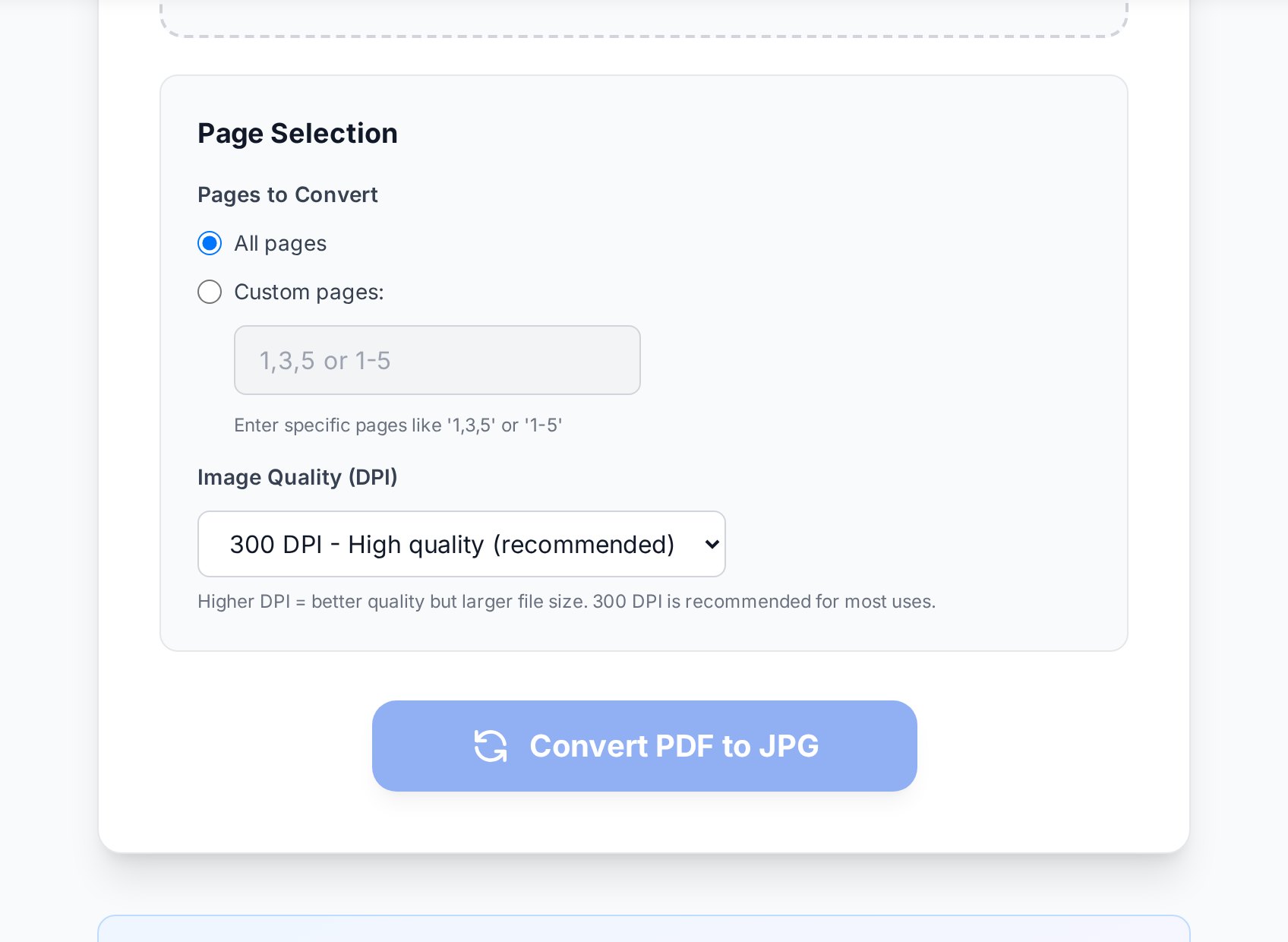
When a converter turns a PDF page into JPG, it renders the page as a grid of pixels at a chosen resolution, measured in DPI - dots per inch. A higher DPI means more pixels, sharper text, and a bigger file. This single number is why one person's export looks crisp and another's looks like a fax.
- 72-96 DPI - screen-only. Fine for a thumbnail or a quick preview, too soft the moment there's small text.
- 150 DPI - the everyday sweet spot for sharing on screens. Text reads cleanly on a phone or monitor and the file stays light.
- 300 DPI - print quality. Use it if the image will be printed or someone might zoom right in. Files get noticeably larger, but lines and small type stay sharp.
If your JPG looks blurry, you almost certainly exported at too low a DPI. Re-export at 150 for screens or 300 for print. You cannot sharpen a low-resolution image after the fact - the detail was never captured.
The mistake to avoid in the other direction is exporting everything at 300 DPI "to be safe." A page meant for an Instagram post at 300 DPI is a heavy file carrying detail no screen will ever show. Match the DPI to the destination and both quality and size sort themselves out.
JPG or PNG? Pick by what's on the page
A free PDF to JPG converter usually offers PNG too, and the choice isn't cosmetic. JPG and PNG compress differently, and for documents the difference is visible.
JPG uses lossy compression - brilliant for photographs, where the eye never notices the discarded detail. But on sharp black text against white, the same compression leaves faint "halos" and fuzz around the letters. PNG is lossless: it keeps every edge razor-clean, which is exactly what text and line art need, at the cost of a larger file.
The rule of thumb:
| What's on the page | Best format | Why |
|---|---|---|
| Mostly text - contract, invoice, letter | PNG | Lossless edges keep small type legible |
| Diagrams, charts, line art | PNG | Sharp lines, no compression fuzz |
| A full-page photograph | JPG | Far smaller file, no visible loss |
| A flyer mixing photo and text | JPG at higher DPI | Bump DPI to offset text halos |
When the tool only outputs JPG and the page is text-heavy, the workaround is simple: raise the DPI a notch to compensate for the halos around the letters.
Export only the pages you need
A multi-page PDF becomes one image per page. Convert a 40-page report and you get 40 files - rarely what anyone wants. Before converting, set a page range so you get just page 3, or pages 1-5, instead of the whole stack.
This is the single biggest time-saver in PDF-to-JPG work, and it doubles as file-size control: fewer pages, fewer megabytes, less to sort through afterwards. If you genuinely need every page, that's fine too - just make it a choice rather than a default you didn't notice.
Keeping file sizes sane
- Don't round-trip. Going PDF to JPG and back to PDF re-compresses the content each time and degrades it. Keep the original PDF and export images from it whenever you need them.
- Downscale before you share. A 300 DPI export of an A4 page is several thousand pixels wide - more than any chat or social upload uses. For screen use, 150 DPI is plenty and a fraction of the size.
- One heavy page beats forty light ones. If you only needed a single page, exporting that one page at high quality is still smaller than the whole document at medium quality.
What about getting images back into a PDF?
The reverse trip is just as common: you've got a handful of JPGs - phone photos of a contract, a set of receipts - and you need them as one PDF. The JPG to PDF tool handles that, with one thing to watch: upload all the images at once and check the order in the preview before exporting. Filename sorting puts IMG_10 before IMG_2, which scrambles your pages. There's a full walkthrough of both directions in our guide on converting PDF to JPG and back without losing quality.
One more thing: an image of text isn't searchable. If you rebuild a PDF from photos or exported pages and later need to copy or search the words, run OCR on the image to pull the text out. The companion piece on extracting text from an image covers when that's worth doing.
How to convert PDF to JPG online
- Open the PDF to JPG converter and upload your PDF, or drag it onto the page.
- Set a page range if you don't need every page.
- Choose your resolution - 150 DPI for screens, 300 DPI for print.
- Pick JPG for photos, PNG for text-heavy pages.
- Convert and download. It's free, with no account and no watermark.
FAQ
How do I convert a PDF to JPG online for free without losing quality?
Export at 150 DPI for screens or 300 DPI for print. Quality loss comes from choosing too low a resolution, not from the conversion itself. For text-heavy pages, PNG keeps edges sharper than JPG.
Is there a free PDF to JPG converter with no watermark or sign-up?
Yes. Convertica's PDF to JPG tool is free, adds no watermark, and needs no account - upload, set your options, and download.
Should I export as JPG or PNG?
PNG for pages that are mostly text or line art, because lossless compression keeps the edges clean. JPG for full-page photographs, because it produces a much smaller file with no visible loss.
Can I convert just one page of a PDF to an image?
Yes. Set a page range before converting so you get only the page you need instead of one image per page across the whole document.
Why is my exported JPG so large?
You probably exported at a high DPI for screen use. Drop to 150 DPI for anything that will only be viewed on a phone or monitor, and export only the pages you actually need.
Try it now
Open the PDF to JPG converter, pick your DPI and format, and export. Need the reverse? JPG to PDF rebuilds a document from your images in the right order.


