

Where the bytes actually live
Before you can shrink a PDF, it helps to know what is taking up the room. A PDF is a container, and the weight is rarely spread evenly:- Images dominate almost every large file. A single full-page 300 DPI colour photo is around 2-4 MB on its own. A scanned document is nothing but images, one per page, which is why scans balloon so fast.
- Text is tiny. The actual characters and layout of a 50-page report add up to a few hundred kilobytes. Real text is the cheapest thing in a PDF.
- Embedded fonts add up. A handful of subset fonts is fine; a full embedded font family with every glyph can quietly add a megabyte or two.
- Invisible cruft. Revision history from repeated "Save" operations in Acrobat, unused objects, oversized colour profiles, and embedded files (yes, a PDF can carry a spreadsheet inside it) all ride along unseen.
How PDF compression actually works
There are two fundamentally different mechanisms at play, and good tools use both. Understanding the split is what separates "why did nothing happen?" from "why does my scan look muddy now?"Lossless optimization (free quality)
Some of the savings cost you nothing. A compressor can rewrite the file structure without touching a single visible pixel:- Deflate (zip-style) compression on text and content streams, which packs repetitive data tightly.
- Removing unused objects, orphaned pages and stale revision history.
- Subsetting fonts so only the glyphs you actually use are embedded.
- Deduplicating identical images that appear on multiple pages (a logo in a footer, for instance).
Lossy image downsampling (where quality goes)
The big reductions come from the images, and they are lossy by nature. Two things happen:- Downsampling drops the resolution. A 600 DPI scan downsampled to 150 DPI keeps a quarter of the pixels in each direction, so roughly one-sixteenth of the data. That is where the dramatic size drops come from.
- Re-encoding recompresses each image as JPEG at a chosen quality level, throwing away fine detail the eye barely registers.
Key idea: lossless optimization is always safe and usually modest. The big numbers come from downsampling images, and that is the only step that can visibly cost you quality.
Compression presets, in plain terms
Most tools, Convertica included, hide the maths behind a few presets. Here's what they actually do under the hood.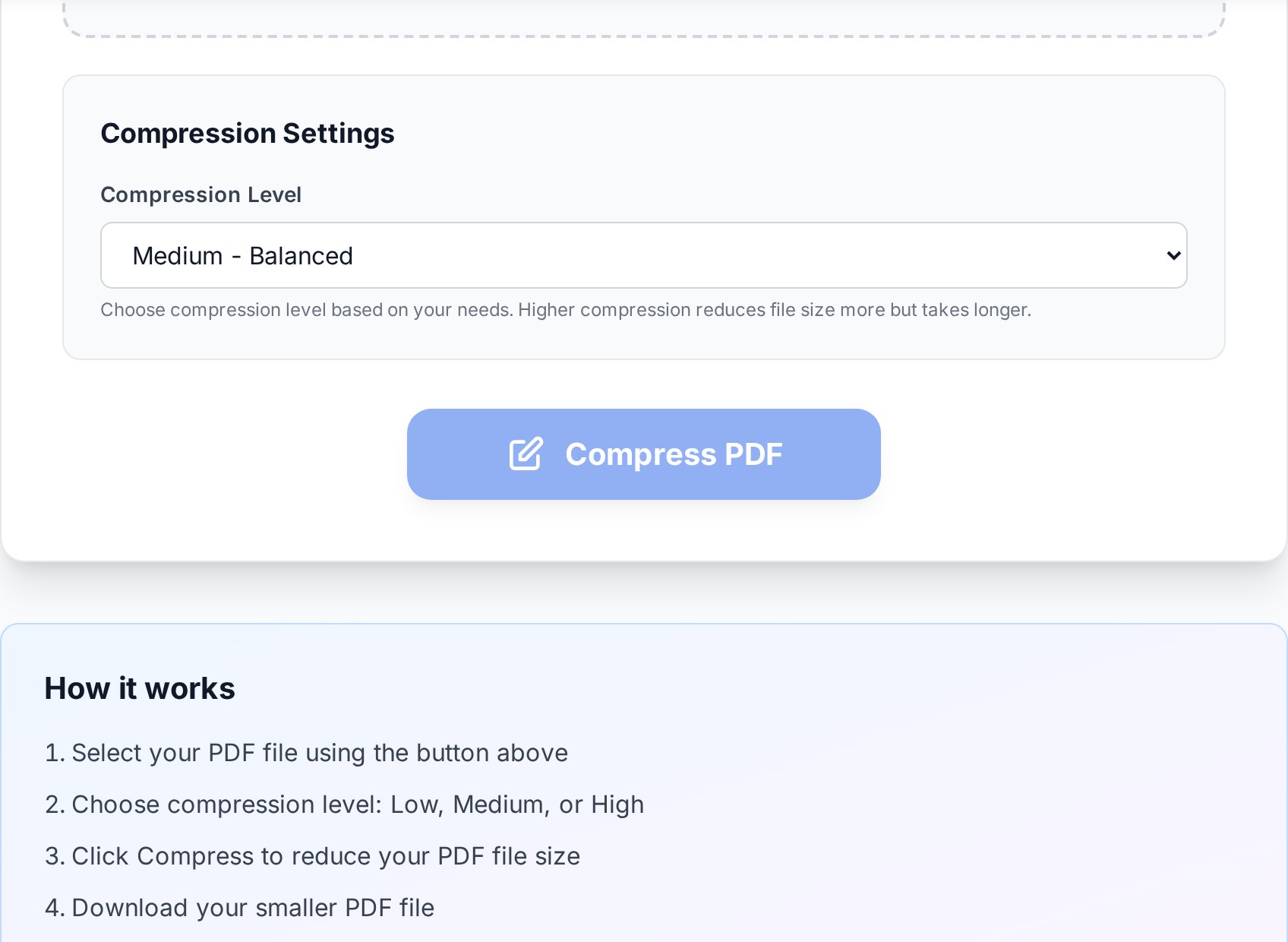
- Low. Lossless optimization plus light image re-encoding, with little or no downsampling. Best quality, smallest savings. Use it when sharpness is non-negotiable.
- Medium (the sensible default). Downsamples images to roughly 150 DPI and re-encodes at a balanced JPEG quality. Invisible on screen, prints cleanly at A4, and handles most real-world files.
- High. Downsamples harder (around 96-120 DPI) and compresses images more aggressively. Great for getting something under a stubborn limit when the recipient only reads on screen and never prints.
Which setting for which job
Match the preset to what the document is actually for, not to how small you can technically make it.| Quality target / use case | Recommended preset | Why |
|---|---|---|
| Reading on screen, sharing a draft | Medium or High | Screen resolution is forgiving; downsampling is invisible. |
| Emailing under a 20-25 MB cap | Medium first, then High | Medium clears most files; escalate only if it doesn't. |
| Office printing on A4 / Letter | Medium | 150 DPI prints cleanly on a standard laser printer. |
| Photos, diagrams, design proofs | Low | Preserves fine detail and gradients that aggressive JPEG ruins. |
| Professional / large-format printing | Low or keep original | Print shops need 300 DPI; downsampling shows up at size. |
| Legal exhibits, signed contracts | Don't compress | File integrity matters more than size; re-encoding can be challenged. |
| Long-term archive (PDF/A) | Low, or none | Archives are meant to preserve fidelity, not save space. |
How small can you realistically get?
This is where most "up to 99% smaller!" claims fall apart. Compression can only throw away what's redundant, so the realistic range depends entirely on what's inside. Honest numbers:| Document type | Typical reduction | Example |
|---|---|---|
| Text-only PDF (exported from Word, web) | 70-95% | 40 MB → 2-12 MB |
| Mixed text + photos | 40-70% | 30 MB → 9-18 MB |
| Pure scan (every page is an image) | 30-60% | 50 MB → 20-35 MB |
| Already-compressed PDF | 0-15% | You're at the floor; split instead |
When compression isn't the answer
Compression is one tool, not the only one. Two common situations call for a different move:- The file must stay at full quality but is over the limit. Don't degrade it; split the PDF into smaller parts by page range and send or upload them separately. This keeps every pixel intact, which matters for design proofs, exhibits and anything a regulator will scrutinize. See the worked example in our guide to splitting a bank statement PDF by page.
- You're combining many small PDFs and the total is the problem. Sometimes the right order is to merge the files into one PDF first, then compress the combined document once, so shared resources like fonts are deduplicated across the whole set. Our walkthrough on merging invoices into one PDF for accounting shows the pattern.
A repeatable workflow
Put together, the fast path looks like this:- Run the text-selection test to learn whether you're dealing with a digital file or a scan.
- Try Medium first. For most files you're done here.
- If it's still too big and it's a scan, accept that you're near the floor: split it, or re-OCR and re-export to a text-based PDF, rather than cranking quality into the ground.
- If it's still too big and it's born-digital, check for embedded files and revision-history bloat before assuming the preset failed.
- Always keep the original. Compression is one-way for the discarded detail, and you may need the full-quality copy later.
FAQ
Why did my PDF barely get smaller?
Most likely it was already optimized, or it's a born-digital text PDF with little image data to downsample. Compression removes redundancy; if there's none left, there's nothing to save. Check the attachments panel too, in case an embedded file is inflating the size.
Does compressing a PDF lose quality?
Only the image part can. Text and vector graphics are repacked losslessly and stay pixel-perfect. Images are downsampled and re-encoded, which is invisible at Medium for on-screen and office use, and starts to show at High on photos and detailed diagrams.
Can I compress the same PDF twice to make it even smaller?
Rarely worth it. The first pass already removed the redundancy; a second pass mostly re-encodes already-degraded images, adding artefacts for almost no size gain. If one pass isn't enough, split the file or re-OCR a scan instead.
Why is my scanned PDF still huge after compression?
A scan is pure image data, so it has a hard floor (roughly 30-60% reduction). To go further, run OCR to turn the pages into real text and re-export to a text-based PDF, then compress that. A 50 MB scan can drop to 1-2 MB this way, but handwriting and signatures won't survive, so keep the original.
Is online PDF compression safe for sensitive documents?
Uploads are encrypted in transit and processed only for the duration of the job. For genuinely confidential files, password-protect the PDF after compressing and share the password through a separate channel, or split the file and keep it on your own machine.
Try it now
Run the text-selection test, start with the Medium preset, and check the result against what the document is actually for. Open the PDF compressor tool →


